Register Siri Shortcut
- First, create a Siri shortcut, that allows you to speak and send a text message to your server
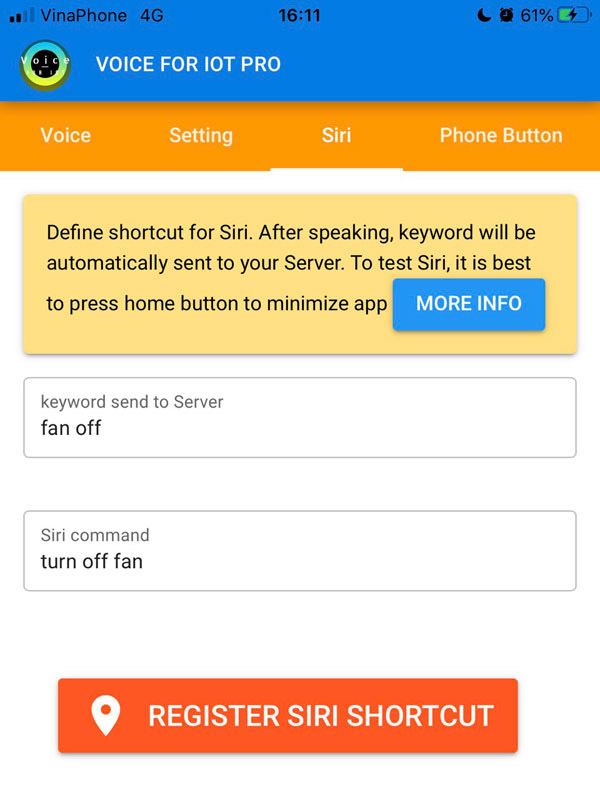
- After input keyword (what you want to send to your server) and Siri command (what you want to speak), press "Register Siri Shortcut"
- A layout of Shortcut app open, press "Add to Siri"
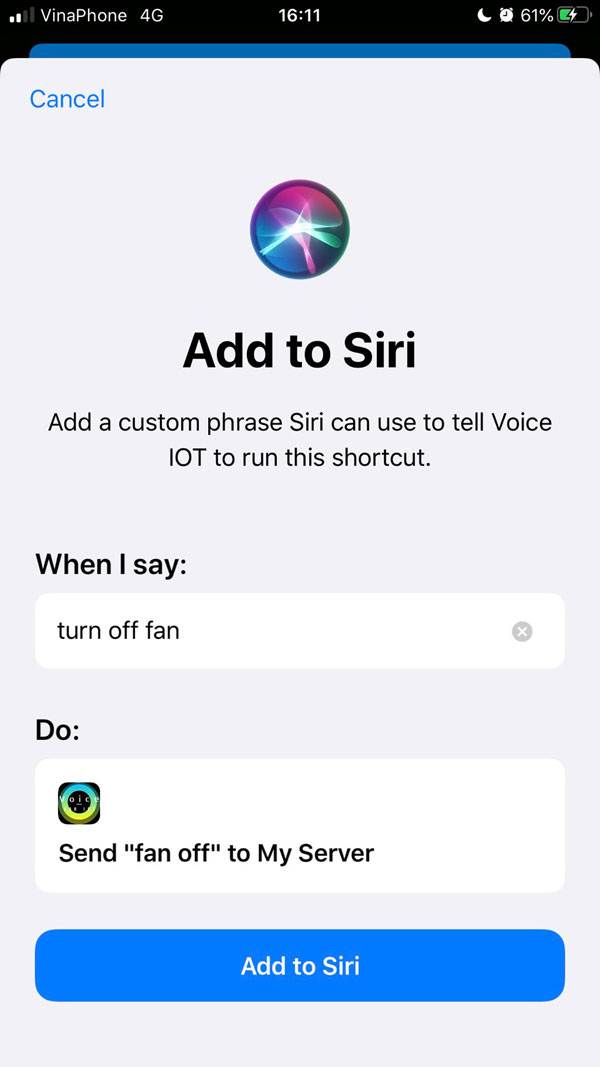
- Now you will have a new shortcut in Shortcut app.
- To test, speak "Hey siri turn off fan", app will be launched and send "fan off" to your server through your server setting