Home screen button Introduction
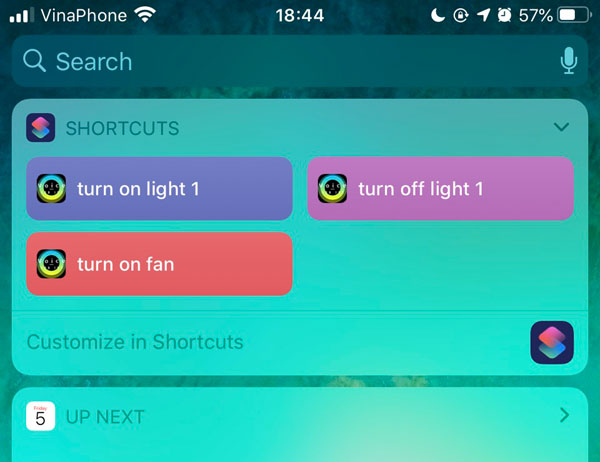
When working with Smarthome or IOT device, sometime we want to have a button on iOS Home screen, press it and launch some function, eg turn on light or a set of actions. By using app, you could do this by setting Siri Shortcut for voice command. So, first you need to set some Siri Shortcut to do voice command in Voice command -> Siri
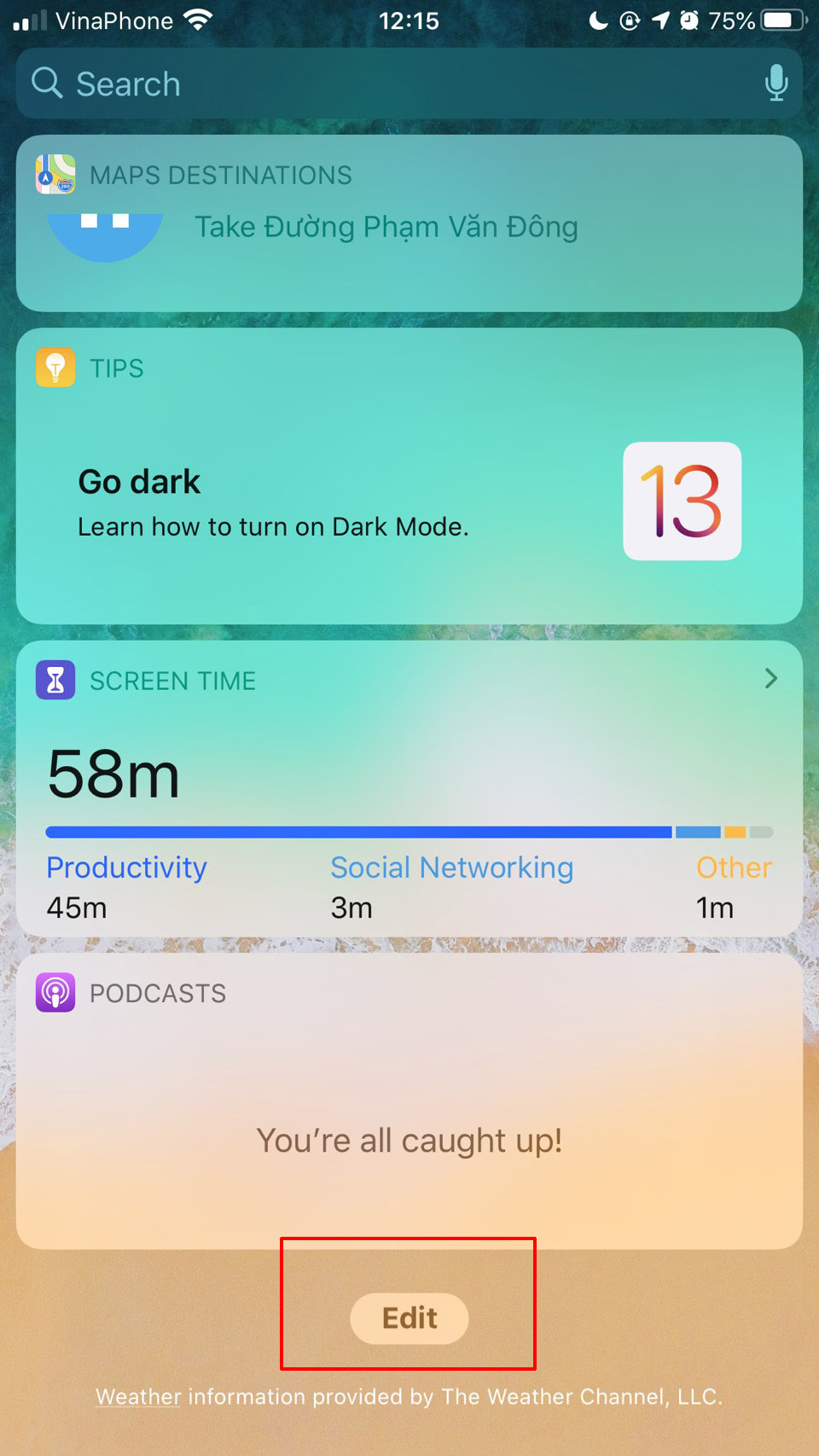
Now, swipe right to widget screen, scroll down and press edit
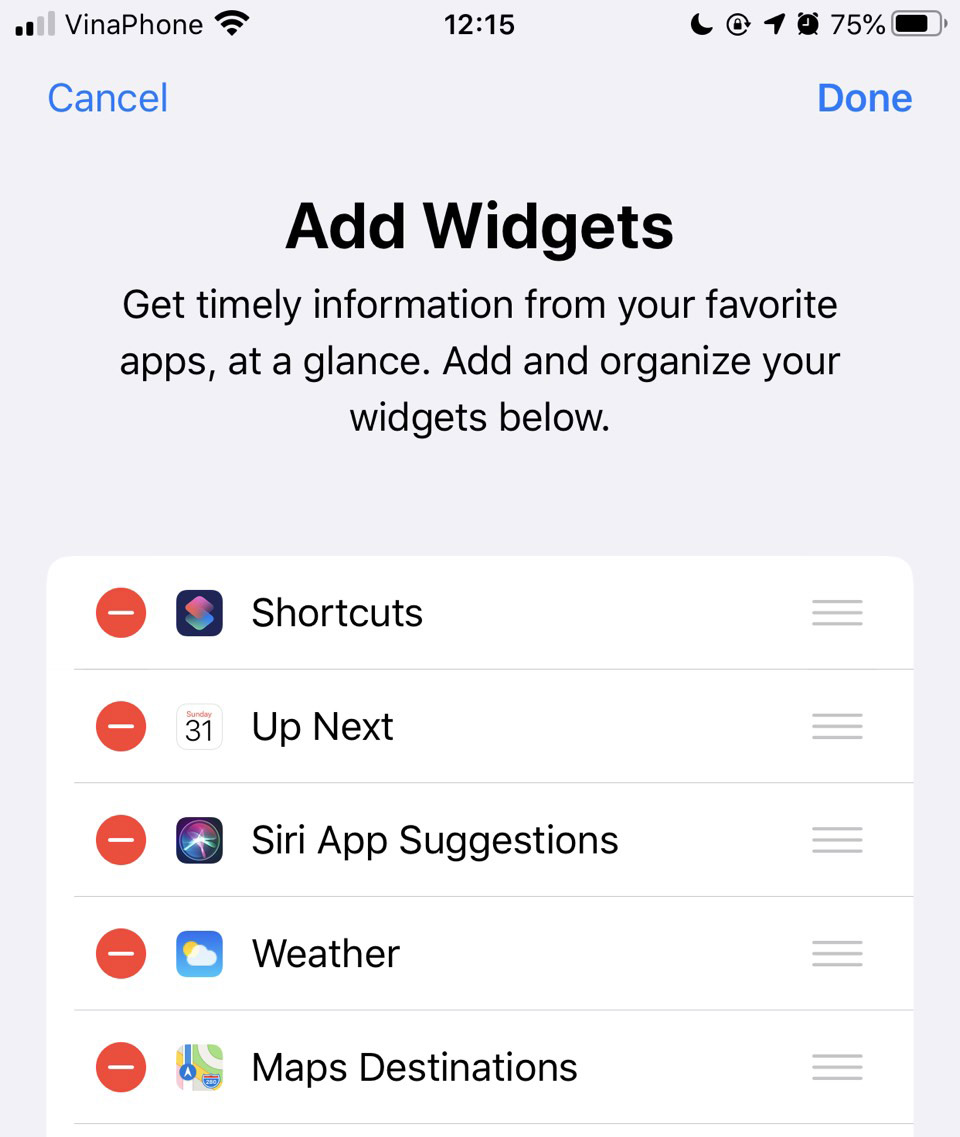
Move Shortcuts to top so you could access quickly when swipe right in Home Screen later
Voila, now when swipe right, you will see shortcut button, press and send command directly to your server. You could also re-arrange buttons position, show/hide to fit your needs by using "Customize in Shortcuts"
When working with Smarthome or IOT device, sometime we want to have a button on iOS Home screen, press it and launch some function, eg turn on light or a set of actions. By using app, you could do this by setting Siri Shortcut for voice command. So, first you need to set some Siri Shortcut to do voice command in Voice command -> Siri
Now, swipe right to widget screen, scroll down and press edit
Move Shortcuts to top so you could access quickly when swipe right in Home Screen later
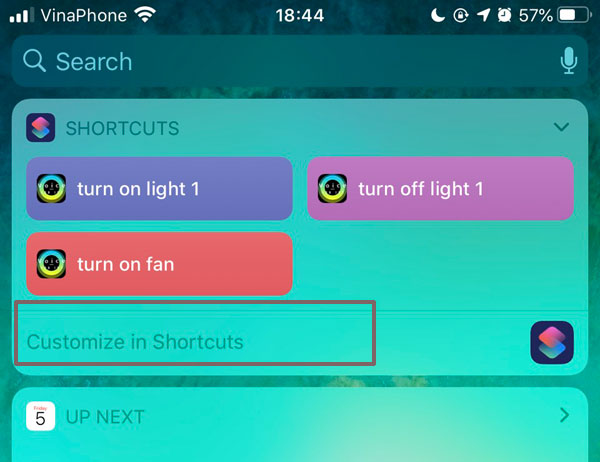
Voila, now when swipe right, you will see shortcut button, press and send command directly to your server. You could also re-arrange buttons position, show/hide to fit your needs by using "Customize in Shortcuts"